


The Perfect REDMAGIC Gaming Setup
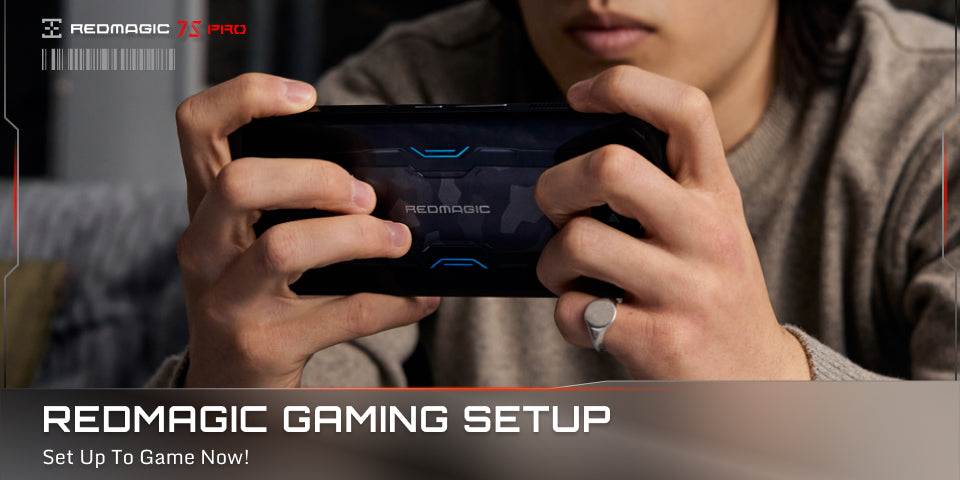
It’s finally the weekend and you have one or maybe even two whole days to play your favorite games to your heart's content. But there is just one thing missing, the perfect, most comfortable setup. I bet you already have a super comfortable gaming setup at home, but I also bet, it could be better. Here’s how we game for hours on end in pure comfort on REDMAGIC.
Prepping For The Perfect Setup
Like any good setup, there is a little preparation that is required beforehand. In the case of a REDMAGIC gaming smartphone like the REDMAGIC 7S Pro, you’re gonna want to make sure you have your charging brick plus charging cord, both of which are available in the box with your REDMAGIC phone, cause we’re awesome like that. Next, you're gonna wanna make sure you have a REDMAGIC Turbo Cooler or Ice Dock. Both of these can be found on the REDMAGIC Accessories Page.
Disclaimer: The Turbo Cooler or Ice Dock is not totally needed, but we’re going to want them in our setup because we’re going to tweak some settings to really push our REDMAGIC gaming smartphone to the max, and that’s gonna heat things up.
Time To Get Comfy
Now that you have the tools you need, it’s time to find a comfy place in your home. Everyone is different of course but we recommend a nice ergonomic chair, nothing too complicated. It’s important to be able to easily get up and stretch your legs and stuff after all and to take breaks every now and then. Easy access to food and drinks is also a plus, it’s not healthy to forget to eat, and staying hydrated is equally important. Once you’re happy with your spot, hook up your Turbot Cooler or Ice Dock along with your REDMAGIC gaming smartphone to a power source, and let's get ready for the next phase.
Side note: If you happen to have a monitor or a smart TV around you and a REDMAGIC 7 Series gaming smartphone, you can use REDMAGIC Studio to cast your game onto a screen and enjoy it on a big screen instead of just your admittedly awesome REDMAGIC 7 Series screen. We find this to be ideal for beautiful games like Genshin Impact. You may think it is great too for FPS games, but I find that sometimes a smaller screen is better for fast-paced arena games where you can easily see the whole screen all the time.
Time To Tweak Some Settings
Now that we got all the tools we need to make our mobile gaming session awesome, it’s time to double-check our settings. Now there are quite a few to double-check, but trust me, it’s worth it.
The checklist!
In the phone’s settings section

· Set Screen Recording to Super Definition: This tells the phone to record your screen at 1080P definition at 16Mbps so it is high-quality visuals and super smooth too
· Charge Separation toggled on (need to be plugged into a power source): This will allow you to have power, without using the battery. It will help save battery life and help keep the phone cool.
· Three finger screenshot toggled on: Take screenshots super easily with a simple three-finger sliding down motion
Inside Game Space’s settings

· Network Speed Limit toggled on: This helps to prioritize bandwidth to active applications for a faster and more stable experience.
Anti disturbance Settings (these can also be found in the Game Space pullout menu when you’re in-game)
· Incoming call suspension toggled on: This blocks calls from kicking you out of your game.
· Barrage message toggled on: This feature allows your incoming messages to scroll across the screen so you don’t miss any important messages you’re expecting.
· False-touch Prevention toggled on: This helps to prevent you from inadvertently pulling down the status bar or Game Space side menus.
· Locking screen brightness: Lock this to a nice comfortable level for yourself since you have all the power you need.
Inside The Game Space Pullout Menus When In-Game

· Set phone performance to Rise: Ensures that the GPU and CPU are getting as much power as they can for max performance
· Toggle touch sampling to 960Hz: Sets the screen to it’s most sensitive and responsive setting.
· Set the GPU to High Quality: To ensure the phone is pushing out the best graphics all the time.
· Screen Recording toggled on: So your entire game session can be easily recorded so you can upload edits of your best plays later. If you’re worried about space, toggling it on or off is easy with the Game Space pullout menu.

You’re Set Up To Game Now
That’s how we set ourselves up for when we play our all-day gameathons of Genshin Impact, Pokémon Unite, or COD: Mobile here. Oh, Pro Tip, remember to make sure you have Charge Separation on, so you can now play indefinitely!! So, sit back, relax, grab yourself some tea like The Spiffing Brit from YouTube and ENJOY!!
Más vendidos


REDMAGIC VC Cooler 6 Air
- Precio regular
- $34.90
- Precio de oferta
- $34.90
- Precio regular
-
$44.90 - Precio unitario
- per


REDMAGIC Cryo Cooler 8 Air
- Precio regular
- Desde $34.00
- Precio de oferta
- Desde $34.00
- Precio regular
-
$39.00 - Precio unitario
- per


REDMAGIC Astra 2 Magnetic Case
- Precio regular
- $29.00
- Precio de oferta
- $29.00
- Precio regular
-
- Precio unitario
- per